 View on GitHub
 Health Domain Reference
Health Domain
ViewControllerHealth
Controls all UI elements in the open health domain
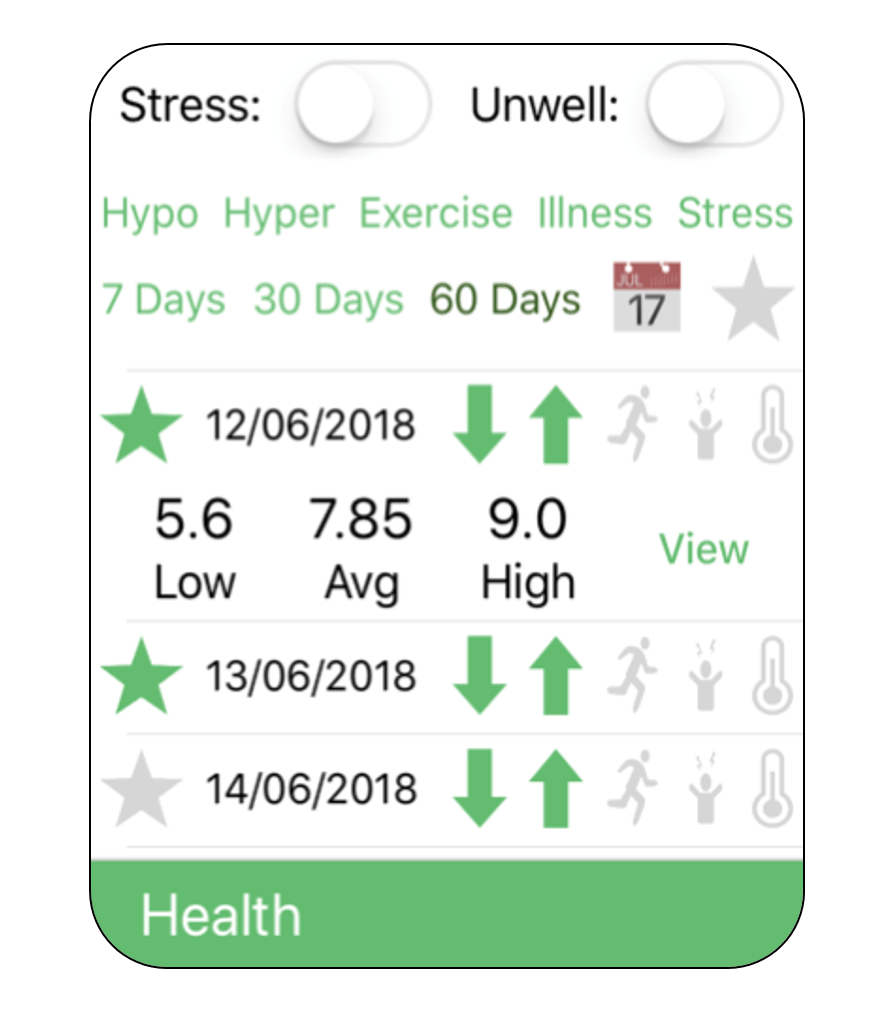
Image of open health domain
Features
- Switches to track illness and stress
- Filterable table showing summary information about previous days
- Favouriting system to save and view previous day logs
Illness and Stress switches
- When turned on, stores start date. When turned off, adds start and end date to an illness/stress log. This allows duration to be calculated as a computed property of
IllnessandStress.
Table
- Setting cell labels:
ViewControllerHealth.tableView(_:cellForRowAt:)uses fetched objects to set the labels of the table’s cells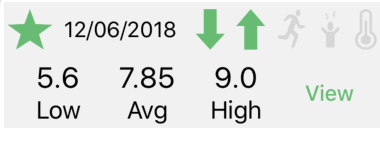
Image of Health table cell
- Expanding table cells: When a cell is selected it will expand or contract to show/hide the low/avg/high of that day’s glucose logs
- Displaying summaries of previous day’s information: Previous
Daylogs are fetched, then filtered based on user’s selected filters, such as whether the user had a hypoglycaemic glucose value on that day and the number of previous days to show. Icons highlighted green display whether that day contained a Hypo, Hyper, Exercise log, Stress or Illness.
Summary icons from left to right: Hypo, Hyper, Exercise, Stress and Illness
- View button: Optional function
tableCellDelegate.didPressViewDayButton(_:)allows a button in the cell to post a notification thatViewControllerGraphpicks up using an observer, to display thatDayon the graph.
func didPressViewDayButton(_ tag: Int) {
    let nc = NotificationCenter.default
    nc.post(name: Notification.Name("setDay"), object: (loggedDays[tag].date)!)
}
Image of code in ViewControllerHealth to allow cell ‘view’ buttons to change day displayed on graph
Favouriting System
- Favouriting: If a user clicks the star of a day cell it will highlight in the colour of the domain to symbolise it has been favourited. This will call a function to add the
Dayto the favourites object’s relationships. - Choosing from favourites: When the star in the data entry section is selected, it will highlight in the colour of the domain. The table will update to display
Day‘ logs which are favourited instead of the previous day summaries. The user can use the view button to display it on the graph.
Future Work
- Add status indicators to show summary information for that day or other useful information
- Add customisable filters and tags to
Daylogs
-
Controls all UI elements within the health domain. This includes illness and stress entry, favouriting system, managing the day log and filtering.
See moreDeclaration
Swift
class ViewControllerHealth : UIViewController, UITableViewDataSource, UITableViewDelegate, tableCellDelegate